
More than 600 pipe tobaccos, from English Latakia mixtures to Danish aromatics: to help you find your tobacco quickly in this range, our pipe tobacco category now has a detailed filter. This guide shows you step by step how to use it.
Opening the filter
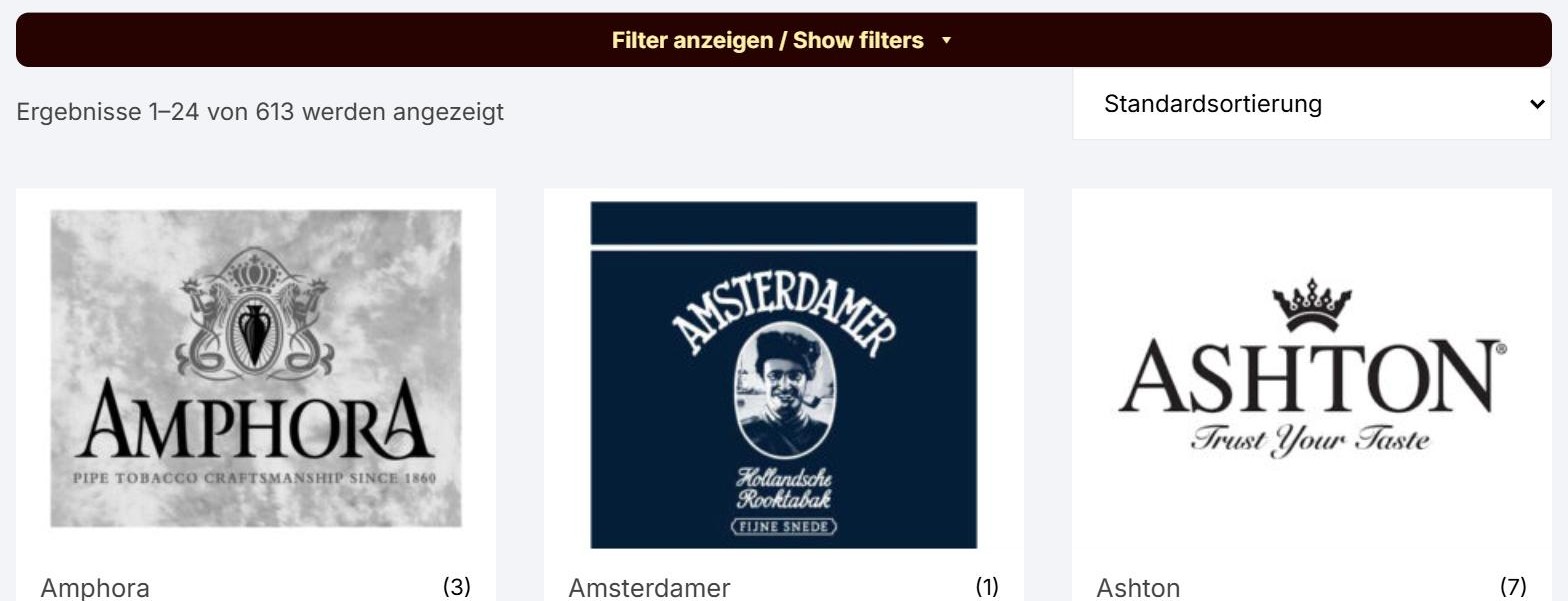
Right above the product range you will find the bar „Filter anzeigen / Show filters“. One click opens the filter.
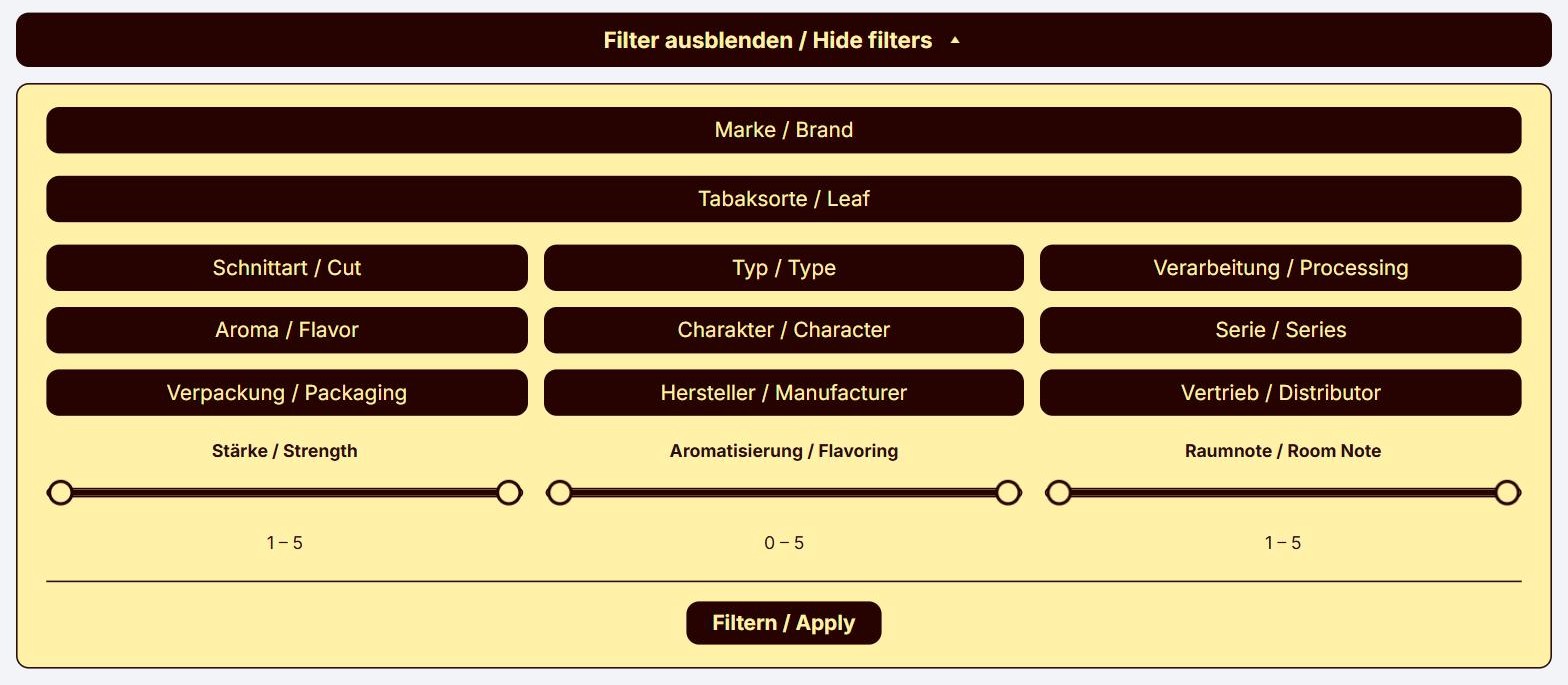
In the open filter you first see Brand and Leaf, below them nine more filters: Cut, Type, Processing, Flavor, Character, Series, Packaging, Manufacturer and Distributor. At the bottom are three sliders for Strength, Flavoring and Room Note. One click on a filter opens its options, a second click closes them again.
Leaf, Flavor and Character: include and exclude
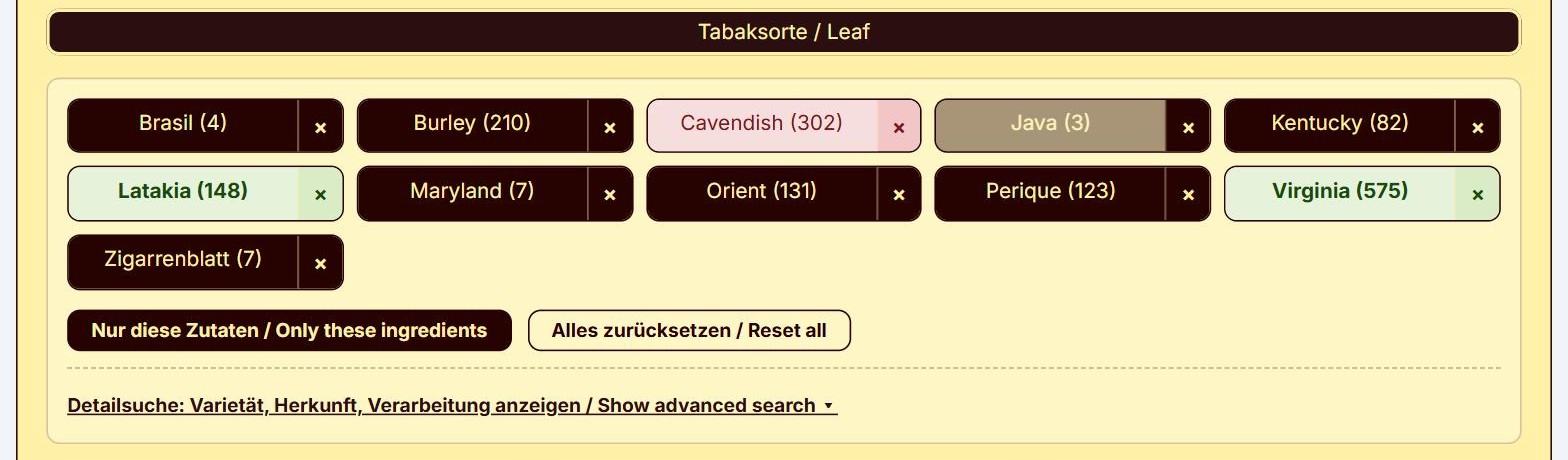
With these three filters you decide what your tobacco must contain and what it must not contain. Every option has two click areas:
- Click the name – the option turns green: it must be included.
- Click the × – the option turns red: it must not be included.
- Click again on the same spot to clear it.
If you mark several options green, the tobacco must contain all of them. Virginia and Latakia in green therefore means: blends that contain both.
In the example below, Virginia and Latakia are green and Cavendish is red: we are looking for a blend with Virginia and Latakia, but without Cavendish.
Two buttons help you:
- Nur diese Zutaten / Only these ingredients turns all other options red. This finds tobaccos made of exactly your green leaves and nothing else – pure Virginia flakes, for example.
- Alles zurücksetzen / Reset all clears your choice in this filter.
Options shown in grey would give no results together with your current choice, so they cannot be clicked. The number in brackets shows how many tobaccos carry the option.
Good to know: Under Leaf you will also find Zigarrenblatt (cigar leaf). These are pipe tobaccos blended with cigar tobacco.
The other filters
Brand, Cut, Type, Processing, Series, Packaging, Manufacturer and Distributor are simpler: click the options you want and they are highlighted.
- Several options in one filter: one of them is enough. Flake and Ready Rubbed shows both cuts.
- Several filters together: all conditions apply. Cut Flake and Type Navy Blend finds only Navy Blends in flake form.
Here too, the number in brackets shows the number of tobaccos, and options in grey no longer fit your choice. Options turn grey as soon as you click, even before you press „Filtern / Apply“.
Advanced search: variety, origin, processing
The advanced search lets you go deeper into one leaf, for example: which Virginia is it, and where does it come from? It becomes available as soon as exactly one leaf is green and you have clicked „Filtern / Apply“. The link „Show advanced search“ then appears below the leaves.
| Row | What it shows | Examples |
|---|---|---|
| Variety | sub-type or colour of the leaf | Red and Bright Virginia, Basma (Orient), Perique (St. James) |
| Region | growing area; a state also finds its sub-regions | Louisiana also finds St. James, North Carolina also the Old Belt |
| Country | country of origin | USA, Malawi, Cyprus |
| Continent | derived from the country | Africa finds Malawi, Zambia and Zimbabwe; America covers North and South America |
| Processing | how the tobacco was treated | Flue Cured, Dark Fired, Original Cavendish |
All details refer to the same tobacco component. Red and USA therefore means: a blend with Red Virginia from the USA, not just any Virginia from the USA. Within one row, again, one of the chosen options is enough. Countries and continents are listed under their German names, for example Zypern for Cyprus or Afrika for Africa.
In the picture, Virginia with variety Red is selected. All countries and continents that have no Red Virginia are greyed out.
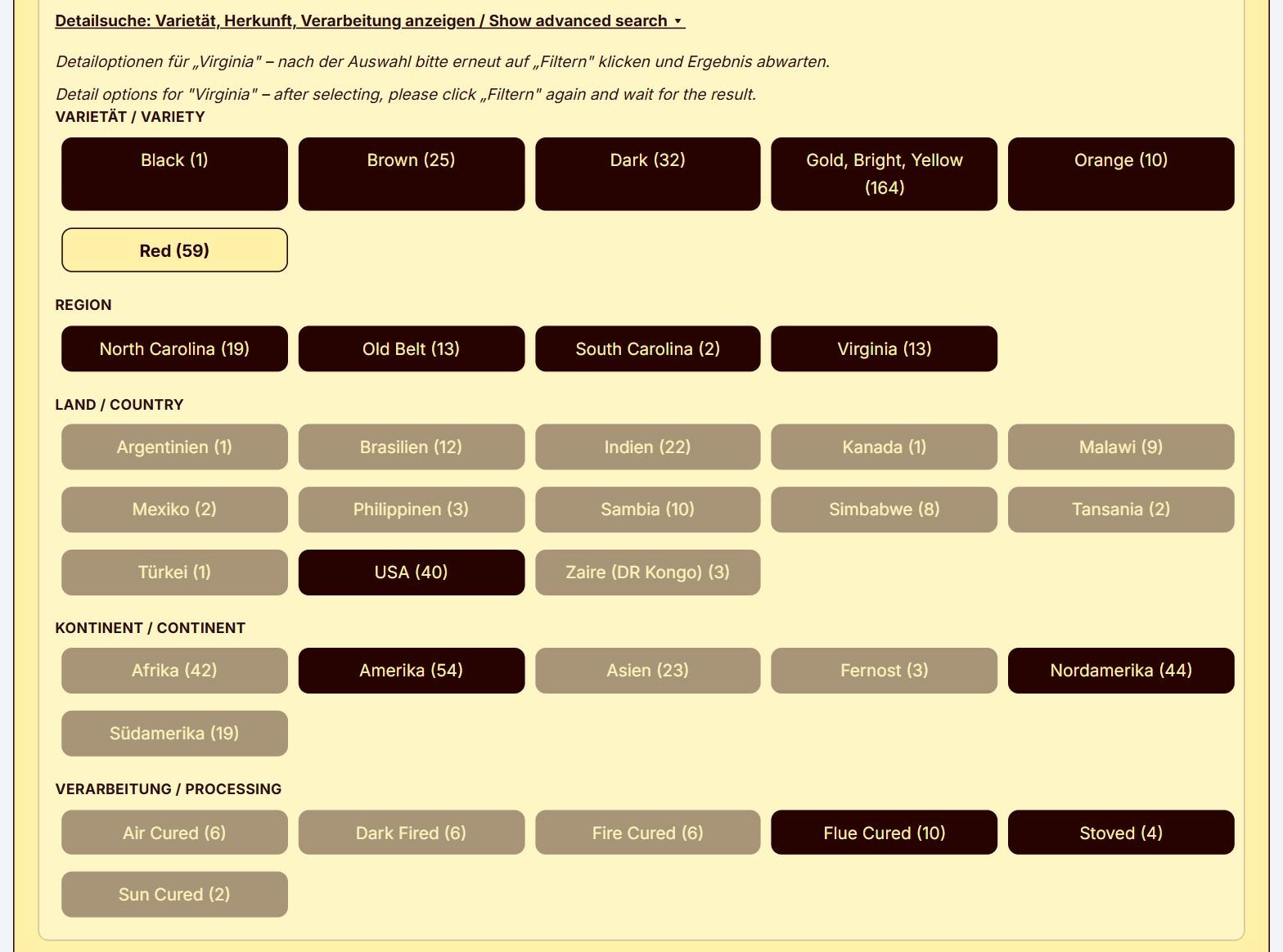
After your selection, click „Filtern / Apply“ again.
Strength, Flavoring and Room Note
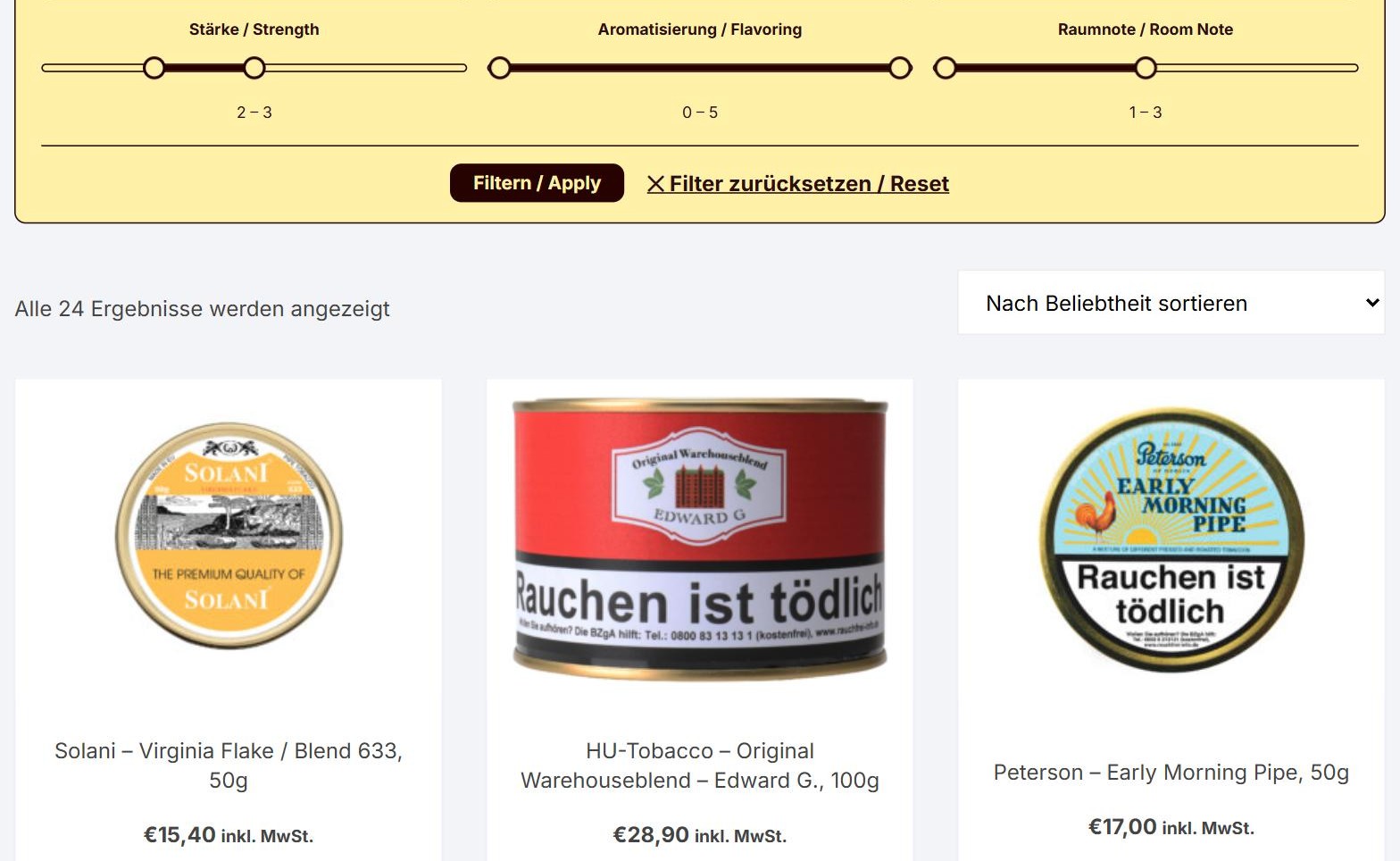
The three sliders narrow down a range: drag the left and the right handle to the position you want. The chosen range is shown below the slider, for example „2 – 3“. The values match those in our product descriptions.
- Strength from 1 (mild) to 5 (strong)
- Flavoring from 0 (no flavoring) to 5
- Room Note from 1 to 5
All sliders move in half steps.

How to use the filter
- Open our pipe tobacco category.
- Click „Filter anzeigen / Show filters“.
- Choose in the filters what your tobacco should contain and what it should not.
- Set Strength, Flavoring and Room Note if you like.
- Click „Filtern / Apply“. The list now shows only matching tobaccos.
- For the advanced search, choose exactly one leaf, click „Filtern / Apply“ and then open the advanced search.
- „Filter zurücksetzen / Reset“ takes you back to the full range at any time.
On a smartphone, the „Filtern / Apply“ button stays at the bottom of the screen, and after filtering the page jumps straight to the results.
Four examples to try
| You are looking for | How to do it |
|---|---|
| An English mixture without flavoring | Leaf: Latakia green; Flavoring at 0 – 0 |
| Pure Virginia | Leaf: Virginia green, then „Only these ingredients“ |
| A VaPer blend | Leaf: Virginia and Perique green, then „Only these ingredients“ |
| Anything but Cavendish | Leaf: click the × next to Cavendish |
Enjoy exploring
Whether you are looking for a particular tobacco or want to try something new: we hope the filter leads you to your next favourite blend more quickly. And if you need advice, we are happy to help in our shop in Hamburg-Eimsbüttel.